The best artwork for custom hats and patches is the highest-quality original logo file you have. Vector artwork is ideal when available, but a clean, high-resolution raster file can also work depending on the decoration method. The most important factors are clean edges, enough resolution, readable details and artwork that makes sense at the finished patch size.
If you are preparing a logo for a custom patch hat, you do not need to be a graphic designer. This guide explains what helps us produce the strongest result—and what to send if all you have is a PNG, JPG or even a screenshot. For businesses applying the same branding across multiple products, see our custom promotional products capabilities.
What file type should I use for a custom hat or patch?
Whenever possible, start with the original artwork rather than a copy downloaded from social media or a screenshot. Vector files such as AI, SVG and production-ready PDF files are especially useful because their shapes can be resized without losing edge quality. High-resolution PNG files can also be excellent source artwork, particularly for full-color designs and files with transparent backgrounds.
A JPG can still be usable when it is large and clean. The important point is simple: send us the best original file you have instead of converting a poor-quality image into another file format. Saving a blurry JPG as a PDF does not make the underlying artwork higher quality.
Vector vs. raster artwork: what's the difference?
Vector artwork is built from paths and shapes. It can generally be enlarged or reduced without becoming pixelated, which makes it especially useful when artwork needs to be separated, simplified or prepared for production.
Raster artwork is made from pixels. PNG and JPG files are common raster formats. Raster artwork can work very well when the source image contains enough resolution for the finished size, but a tiny image pulled from a website may not contain enough information to reproduce fine details cleanly.
Does my logo need a transparent background?
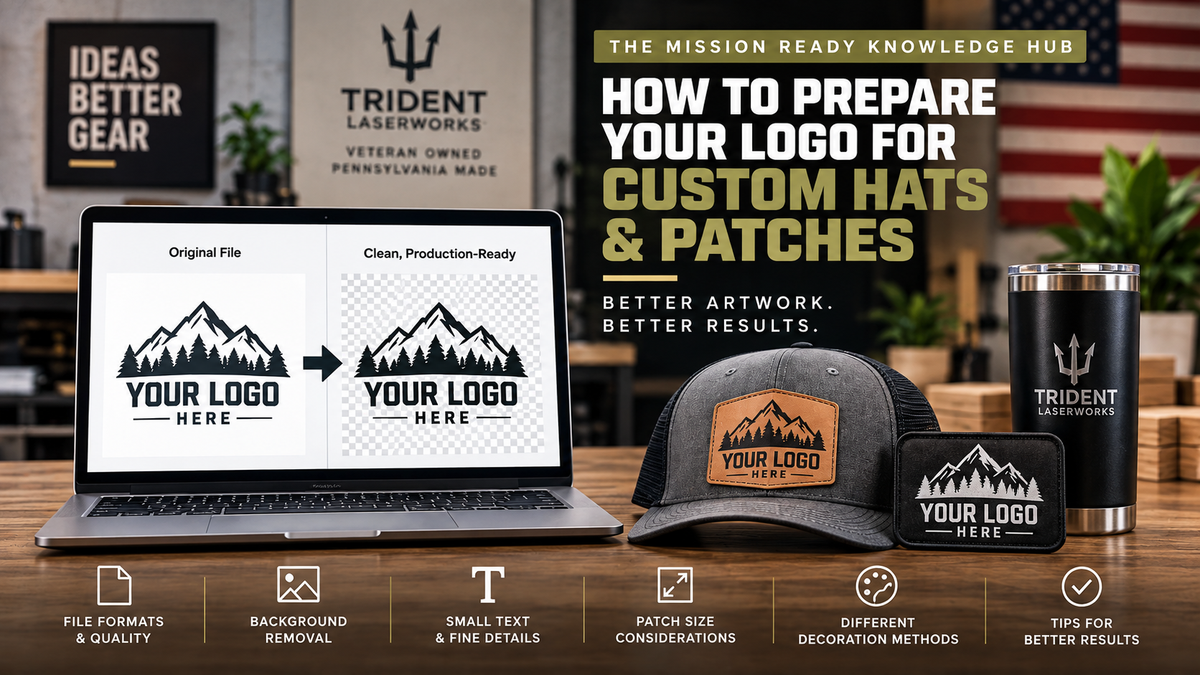
Not always, but a transparent background can make artwork preparation much easier when the background is not intended to be part of the finished design. A PNG with true transparency is generally preferable to an image with a white rectangle placed behind the logo.
If your artwork includes a background that needs to be removed, artwork cleanup and background-removal options may be available depending on the file and product. The goal is to isolate the artwork that actually belongs on the finished product rather than accidentally reproducing an unwanted box, shadow or surrounding image area.
Why do small text and fine details matter?
A logo that looks perfect on a computer monitor may behave very differently when reduced to a patch only a few inches wide. Extremely small text, thin lines, tight gaps and tiny isolated elements can lose clarity as the design gets smaller.
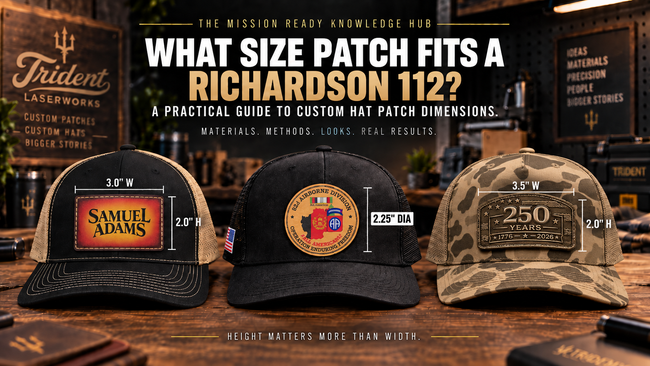
Before uploading artwork, look at the design at approximately the size you expect it to appear on the hat. If an important word is difficult to read at that size on your screen, it may need adjustment before production. Our Richardson 112 Patch Size Guide can also help you understand how patch dimensions affect the finished appearance on a hat.
How artwork changes by decoration method
Different production methods interpret artwork differently. That is why the same logo may need different preparation depending on the look you choose.
Laser engraved leatherette
Laser engraving works especially well with strong shapes, readable text and clear contrast. Fine artwork may need to be simplified so the engraved result remains recognizable at patch size. Designs should be evaluated for the way their shapes and details translate into an engraved appearance rather than assuming every full-color effect will reproduce literally.
Full-color UV printed leatherette
UV printing is a strong option when color, gradients and more detailed artwork are important. Clean, high-quality source artwork still matters, but full-color printing gives us considerably more flexibility than a process that relies on engraving alone.
Textured UV printing
Textured UV adds dimensional printed elements to selected areas of a design. Artwork with intentional separations between elements gives us better control over where texture belongs. When everything is flattened into one low-resolution image, selecting specific areas can become more difficult.
Engraved acrylic patches
Acrylic designs benefit from artwork with clear shapes and intentional color separation. Because the finished look depends on the selected acrylic construction and engraved elements, clean source artwork helps us determine how the design should translate to the material.
If you are still deciding which process fits your logo, read Laser Engraved vs. UV Printed Leatherette Patches: Which Is Right for Your Hat?.
What if all I have is a JPG, PNG or screenshot?
Send it. Do not avoid starting your order simply because you do not have an AI or SVG file.
If you have multiple versions of the logo, send the largest and cleanest one. An original PNG from the designer is usually more useful than a screenshot of that PNG displayed on a website. If a vector version exists, send that too.
We can evaluate the supplied artwork and determine whether it is suitable for the selected decoration method. If the source file creates a production problem, we can identify that before treating a poor preview as an acceptable final result.
Artwork mistakes to avoid
- Uploading a screenshot when the original file is available.
- Using a tiny web image. Enlarging it does not restore missing detail.
- Leaving an unwanted background behind the logo.
- Using extremely small text without considering final patch size.
- Flattening important design elements unnecessarily. Separate, clean elements can provide more production flexibility.
- Assuming every decoration method reproduces artwork the same way. Engraving, UV printing, Textured UV and acrylic each have different strengths.
Can I preview my artwork before ordering?
Yes. Our Hat Lab was built to make the customization process more visual. You can choose a hat, select a decoration method, upload your artwork and see a real-time representation while configuring your custom hat.
For customers who need patches without a completed hat, explore our Custom Hat Patches collection. Businesses planning larger quantities can also use our Bulk Order pathway.
Frequently Asked Questions
Do I need a vector logo for a custom patch?
No. Vector artwork is extremely useful, but it is not the only file type that can work. A clean, sufficiently high-resolution PNG or other raster file may be suitable depending on the artwork and decoration method.
Is PNG or JPG better for custom patch artwork?
A high-quality PNG is often useful because it can preserve transparency. A high-resolution JPG can also work. Image quality matters more than simply changing the filename or file extension.
Can you use a screenshot of my logo?
Potentially, but an original artwork file is strongly preferred. Screenshots frequently contain fewer pixels, unwanted backgrounds or compression artifacts. If a screenshot is truly the only version available, submit the cleanest and largest version you have so it can be evaluated.
Can you remove the background from my logo?
Yes. Background removal and artwork cleanup may be available when the supplied artwork contains a background or surrounding image area that should not appear in the finished design.
How small can text be on a hat patch?
There is no single minimum that works for every design and production method. Font weight, letter spacing, patch dimensions and decoration method all affect readability. Evaluate important text at approximately its intended finished size and avoid unnecessarily thin or condensed lettering.
Can I use gradients and full-color artwork?
Full-color UV printing is designed for artwork where color and detailed printed elements matter. Laser engraving and other methods translate artwork differently, so the appropriate preparation depends on the production method you select.
What should I upload if I have several versions of my logo?
Send the highest-quality original versions available. If you have vector artwork plus a PNG reference showing the intended colors and appearance, providing both can be useful.
Ready to put your artwork on a hat?
Start in the Trident LaserWorks Hat Lab to choose your hat, decoration method and artwork options. If you are comparing patch processes first, visit our Custom Hat Patches collection or our decoration-method comparison guide.